
Like Rome, Good Design Isn’t Built in a Day
A strong user experience can increase lead conversion rates by more than 400% compared with a poorly designed experience.1
When people think about web design, they usually picture colors, layouts, typography, and slick visuals. Those elements matter, but they are only one piece of a much larger puzzle. The strongest websites begin with understanding the business, identifying customer needs, organizing information, and establishing clear goals before a single mockup is created.
Think of it like navigating New York during rush hour. A clear route gets you where you need to go. Making every decision along the way leaves you circling blocks while competitors move ahead.
Whether you are replacing an outdated site or launching one for the first time, a structured web design services reduces surprises, keeps the project moving, and produces a website built to support long-term growth.
Why Following a Web Design Process Matters
Poor experiences drive visitors away. 88% of online consumers are less likely to return to a website after a bad experience,2 which increases your website’s bounce rate (the percentage of website visitors who leave a site after viewing only one page without interacting with it).
A website needs to serve as a salesperson, customer service resource, recruiting tool, and marketing platform during the same visit. Without an organized website design process, unclear responsibilities and late-stage additions can create inconsistent messaging, missed deadlines, unnecessary revisions, and rising costs.
Planning priorities early helps keep designers, developers, marketers, copywriters, SEO specialists, and stakeholders aligned. It also allows teams to resolve structural questions before development, when changes are faster and less expensive.
Early planning strengthens SEO by addressing architecture, keyword targeting, metadata, and internal links before launch. It also improves navigation by organizing content around what visitors need instead of how the company is organized internally.
To create a scalable website that can accommodate new services, markets, campaigns, and business priorities without requiring another ground-up rebuild, your agency needs to follow this 10-step web design process.
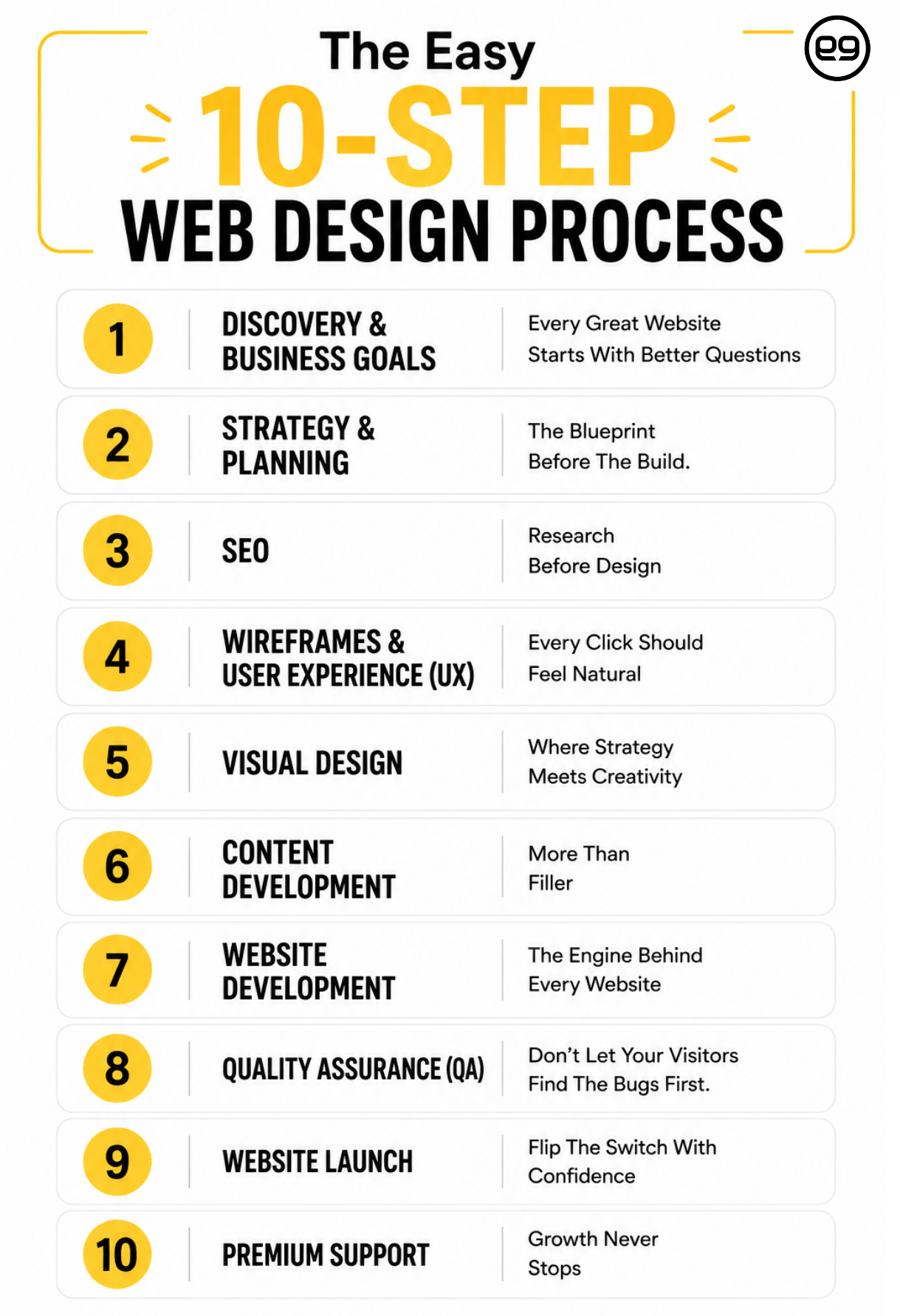
The Easy 10-Step Web Design Process
“A thoughtful web design process gives every decision a purpose and helps the team move in the right direction from the start.” — Conrad Strabone, Managing Partner & President | e9digital
Good websites are assembled in stages, with each decision creating a stronger foundation for the next.
A dependable process turns web design from a subjective creative exercise into a focused business initiative. The following web design process steps move a project from research and strategic planning through design, development, launch, and ongoing improvement.
Each stage answers a different set of questions. Skipping one can create the digital equivalent of taking an express train in the wrong direction. You may move quickly, but getting back on the right track later takes considerably more time.
Step 1. Discovery & Business Goals: Every Great Website Starts With Better Questions
The quality of the finished website often depends on the quality of the questions asked at the beginning. Conduct most user research early because findings have greater influence when teams can act on them before major design and development decisions are finalized.3
Discovery is one of the most important and overlooked stages in the process of web design. Before discussing layouts, the team needs to understand the business, its customers, its competitive environment, and what success will look like.
During discovery, the following happens:
- Business goals: Define whether the website should generate leads, sell products, support recruiting, educate customers, or build awareness.
- Audience research: Examine customer motivations, behaviors, pain points, and decision-making patterns.
- Competitive analysis: Identify industry conventions, competitor weaknesses, and opportunities to differentiate.
- Website audit: Review analytics, conversions, SEO, content, mobile usability, speed, and technical issues.
- Project scope: Establish functionality, integrations, timelines, responsibilities, approval procedures, and technical requirements.
This creates a shared strategic direction for every decision that follows.
Step 2. Strategy & Planning: The Blueprint Before The Build.
Organized navigation improves usability. Well-structured information architecture helps users find information faster while reducing frustration.4
Strategy transforms research into an actionable roadmap. This stage organizes information, maps customer journeys, defines conversion opportunities, and clarifies how visitors will interact with the site.
During strategy and planning, the following happens:
- Sitemap: Organize pages into logical categories for visitors and search engines.
- Customer journeys: Plan routes for visitors at different stages of the buying process.
- Conversion goals: Give each page a clear next action, such as scheduling a consultation or requesting a quote.
- Website features: Document forms, portals, ecommerce tools, CRM connections, search, chat, and other functionality.
- Content requirements: Identify which pages must be created, updated, consolidated, or expanded.
- Project milestones: Establish deliverables, deadlines, responsibilities, and approval stages.
At e9digital, we always implement a thorough plan to keep our web design process moving like a well-timed subway connection. Everyone knows the destination, the sequence, and where decisions need to happen.
Step 3. SEO: Research Before Design
One of the biggest mistakes businesses make is postponing SEO until development is complete. By then, navigation, page hierarchy, URLs, and content structure may already be locked in. A smarter web design process checklist integrates SEO research while the website is still being planned.
Websites built around search strategy generally require fewer structural changes because content, navigation, and page hierarchy are developed together.
SEO Planning includes:
- Keyword research: Select phrases based on relevance, search demand, competition, and business value.
- Search intent: Determine whether users want information, comparisons, pricing, products, or direct assistance.
- Content mapping: Assign distinct keyword themes to individual pages to avoid internal competition.
- URL planning: Create concise, descriptive addresses that communicate each page’s subject.
- Metadata: Prepare relevant title tags and meta descriptions before launch.
- Internal linking: Connect related pages to guide visitors and help search engines understand the site.
Google recommends creating helpful, people-first content rather than material designed primarily to manipulate rankings.5 SEO works best when it makes the website more useful, relevant, and understandable for the people searching.
Step 4. Wireframes & User Experience (UX): Every Click Should Feel Natural
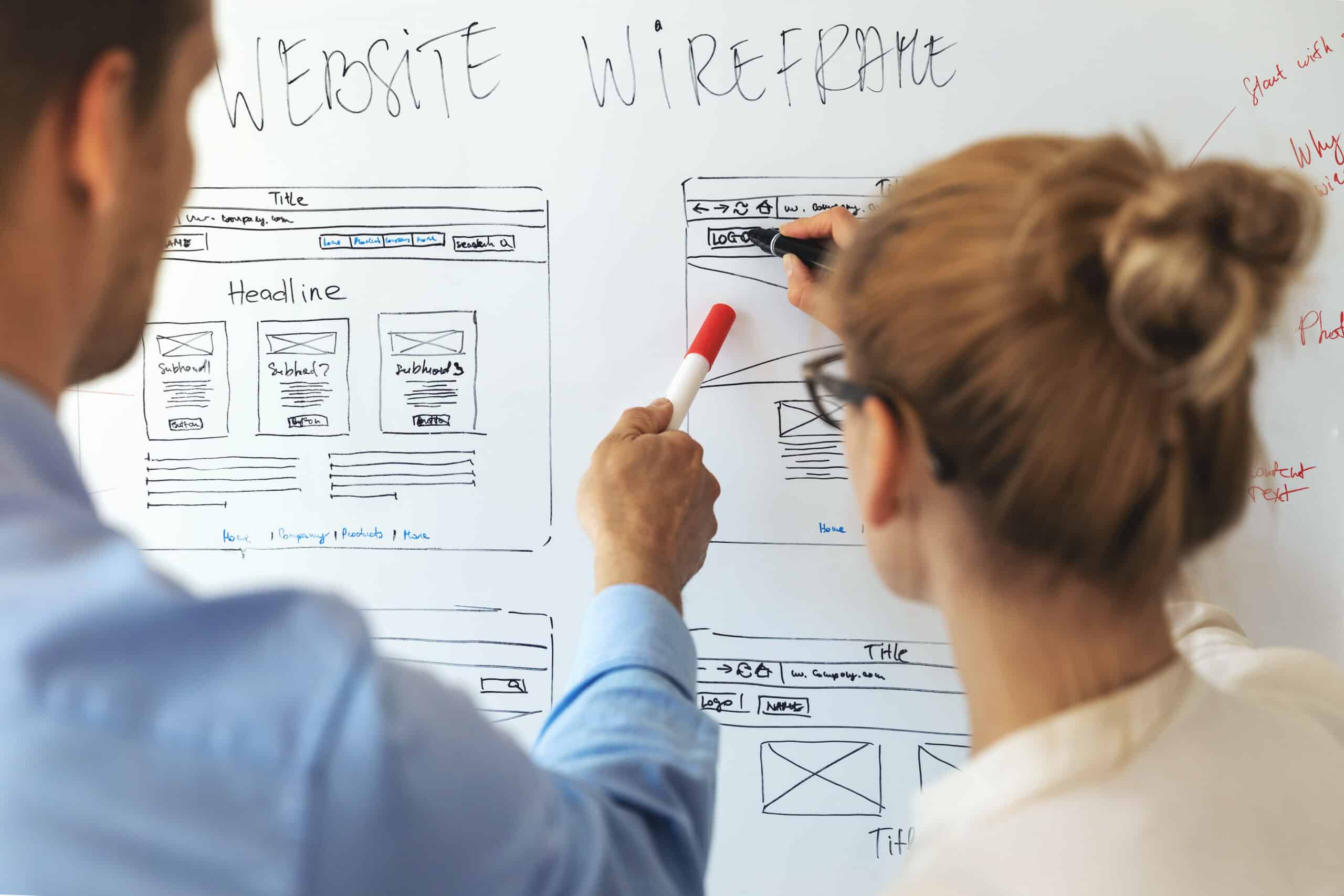
Wireframes remove colors, fonts, and imagery so the team can focus on usability, functionality, and information hierarchy. Like reviewing the subway map before choosing a train, this stage shows how visitors will move through the site and where each route should lead.
This is incredibly important work, since Google uses the mobile version of a site’s content for indexing and ranking, making responsive planning essential from the beginning.6
A strong wireframe should:
- Establish hierarchy: Place essential information where visitors are most likely to notice and use it.
- Improve navigation: Create logical pathways that help users find answers with fewer clicks.
- Prioritize mobile: Plan content and interactions for smaller screens from the start.
- Identify friction: Uncover confusing routes, missing information, and unnecessary steps before development.
- Improve accessibility: Establish sensible headings, spacing, navigation patterns, and keyboard interactions.
- Support collaboration: Give designers, developers, marketers, and stakeholders a shared structure to review.
Solving these issues early keeps revisions manageable and makes the final experience feel natural rather than improvised.
Step 5. Visual Design: Where Strategy Meets Creativity
This is where research, wireframes, and brand strategy begin to take visible form. Every design decision should reinforce the company’s identity while helping visitors understand information and take action.
A great web design process balances personality with purpose through:
- Consistency: Use the same visual and verbal system across every page.
- Hierarchy: Apply size, spacing, contrast, and positioning to direct attention.
- Typography: Choose fonts that support readability and match the brand’s character.
- Imagery: Select visuals that clarify the message instead of filling empty space.
- Calls-to-action: Make important next steps noticeable and consistent.
- Responsiveness: Preserve clarity and polish across desktops, tablets, and smartphones.
In New York, people make fast decisions about where to walk, what to eat, and which direction to take. Website visitors behave similarly. Consistent presentation helps them recognize the brand, understand the message, and move confidently.7
Step 6. Content Development: More Than Filler
Even a polished website will underperform when its content fails to answer questions, explain value, or build confidence. Copy should be developed alongside design so messaging, hierarchy, and page layouts support one another.
Your website’s content covers:
- Homepage messaging: Explain who you are, what you offer, who you serve, and why it matters.
- Service pages: Describe offerings, benefits, common concerns, and relevant expertise.
- SEO copywriting: Address search intent while incorporating keywords naturally.
- Calls-to-action: Guide visitors toward a consultation, demo, download, or conversation.
- FAQs: Answer recurring questions and cover conversational search topics (and they help you rank on AI platforms).
- Consistency: Maintain one recognizable voice throughout the entire website.
Content added at the last minute often forces teams to rework layouts or squeeze important ideas into spaces that were never designed for them. That is like writing a Broadway script after rehearsals have started. The words and the experience need to be developed together.
Instead, create people-first content that provides original, useful information and demonstrates direct expertise.8
Step 7. Website Development: The Engine Behind Every Website
Development transforms static designs into an interactive website. Every button, form, animation, integration, and page must perform reliably across devices and browsers. Google’s Core Web Vitals measure loading performance, responsiveness, and visual stability, so you need strong results to support user experience.9
This stage of the website design process includes:
- Responsive development: Adapt layouts and functionality for desktops, tablets, and mobile devices.
- CMS integration: Let internal teams update pages and publish content without routine developer support.
- Performance optimization: Improve images, scripts, stylesheets, and code to reduce loading time.
- Security: Configure SSL, backups, permissions, malware protection, and other safeguards.
- Integrations: Connect CRMs, analytics tools, payment platforms, scheduling software, and marketing systems.
- Accessibility: Support users with different abilities through inclusive development practices.
A polished design with weak development is like a taxi with a beautiful paint job and an unreliable engine. It may get attention at the curb, but performance determines whether anyone reaches the destination.
Step 8. Quality Assurance (QA): Don’t Let Your Visitors Find The Bugs First.
Quality assurance verifies that every element works as intended before launch. Design and development build the experience. QA looks for the loose bolts, missed connections, and technical problems that could frustrate visitors or damage credibility. Clients can be anxious at this stage. That’s why our website designers at e9digital take the extra time to QA properly.
A complete QA checklist should include:
- Navigation: Test menus, dropdowns, breadcrumbs, buttons, and internal links.
- Forms: Confirm submissions, notifications, confirmations, spam protection, and CRM connections.
- Browser compatibility: Review the site in Chrome, Safari, Edge, Firefox, and other supported browsers.
- Responsive testing: Check layouts and interactions across desktop, tablet, and mobile screens.
- Accessibility review: Evaluate headings, contrast, alt text, keyboard navigation, labels, and focus states.
- SEO review: Verify metadata, redirects, schema, heading structure, internal links, robots.txt, and the XML sitemap.
- Analytics: Confirm that analytics, conversions, events, and Search Console are collecting data correctly.
QA gives the website a full dress rehearsal before customers take their seats. That’s why you should always go with an NYC design agency that does a complete check of the site before it goes live.
Step 9. Website Launch: Flip The Switch With Confidence
“Launch day is an important milestone, but the real value comes from continuing to refine the website as the business and its customers evolve.” — Conrad Strabone, Managing Partner & President | e9digital
Launching a website requires careful coordination across several technical and marketing elements. In the web design process, a successful launch helps preserve existing search visibility, ensures search engines can properly access the site, and confirms that tracking systems are ready to measure performance from day one.
The final steps for website launch include:
- Domain and hosting: Verify DNS settings, hosting configuration, SSL certificates, and uptime monitoring.
- Redirects: Implement 301 redirects (automatically send people from your old website to your new one) to preserve rankings and prevent broken links.
- Analytics setup: Confirm Google Analytics, Search Console, Tag Manager, events, and conversion tracking.
- XML sitemap: Submit the updated sitemap so search engines can discover important pages.
- Performance review: Test speed, forms, mobile usability, navigation, and core functionality again.
- Backup procedures: Create complete backups before and immediately after launch.
Schedule launches during normal business hours whenever possible. That keeps designers, developers, hosting providers, and decision-makers available if an unexpected issue appears. This is especially important in technology web design, since you are selling a software product.
Step 10. Premium Support: Growth Never Stops
A launch is a starting line, not a victory lap. Businesses change, customer expectations evolve, and search engines refine how they evaluate websites. Competitors also continue improving. A website that remains untouched for years can gradually lose relevance, traffic, and conversion opportunities.
Ongoing premium support includes:
- SEO improvements: Refresh content, strengthen internal links, monitor rankings, and expand valuable keyword coverage.
- Conversion optimization: Improve forms, calls-to-action, page layouts, and landing pages using visitor behavior.
- Performance monitoring: Maintain speed, security, accessibility, and technical health.
- Content updates: Publish new resources and keep existing information accurate.
- Analytics reviews: Examine traffic, engagement, conversions, and user journeys to identify opportunities.
- A/B testing: Compare headlines, layouts, images, forms, and calls-to-action.
Continuous improvement helps the site keep pace with the company it represents.
Great Websites Happen With the Right Partner
Your website should help prospects understand your value, trust your expertise, and take the next step. That requires more than attractive pages. It requires a clear process of web design that connects business strategy with search visibility, content, user experience, technology, and measurable performance.
At e9digital, we build websites for organizations that need more than a cosmetic upgrade. Our team creates scalable digital platforms designed to support lead generation, recruiting, customer education, and long-term marketing growth.
Whether you are launching a new website or replacing one that no longer reflects the business, we will guide the project from discovery through optimization without losing sight of the goals established at the beginning.
Ready to stop patching your website and start building an asset that performs? Contact e9digital and put a proven process behind your next project.
Frequently Asked Questions
What is the first step in the web design process?
The first step is discovery. During discovery, the project team identifies business goals, target audiences, competitors, technical requirements, content needs, and success metrics.
This stage provides the information needed to make informed decisions throughout the web design process. Beginning with layouts or visual concepts before completing discovery can lead to unclear messaging, unnecessary revisions, and features that do not support the company’s actual goals.
How does the web design process work?
A professional website design process follows a structured workflow. It typically includes discovery, strategic planning, SEO research, wireframing, visual design, content development, website development, quality assurance, launch, and continuous optimization.
Each stage prepares the project for the next one. Research guides strategy, strategy guides design, and approved designs guide development. Testing then verifies that the completed website works correctly before it becomes available to the public.
How do you integrate SEO into the web design process?
SEO should begin during planning, before design and development decisions are finalized. The process of web design should incorporate keyword research, search intent, content mapping, URL planning, internal linking, metadata, and information architecture.
This allows pages to be organized around how customers search and what they need.
How long does the web design process typically take?
The timeline depends on the website’s size, functionality, content requirements, integrations, approval process, and technical complexity. A small informational site may move faster than a large B2B platform with custom features and extensive content.
A defined web design process checklist helps control the timeline by establishing responsibilities, milestones, deliverables, and approval stages before development begins. Delays are more likely when content, feedback, or technical requirements are introduced late.
Why is website planning so important?
Website planning establishes the goals, structure, functionality, content requirements, and customer journeys that guide the project. It also helps teams define responsibilities and anticipate potential challenges before development begins.
Defined web design process steps reduce scope creep, improve collaboration, and prevent expensive revisions. Planning gives the project a clear route, much like checking traffic before crossing Manhattan. Without it, teams may move quickly while still heading in the wrong direction.
Why should content be written before launch?
Content affects page layouts, navigation, SEO, user experience, and conversion paths. Developing content alongside design allows both elements to support each other.
For example, in B2B technology web design, messaging must explain complex products or services in a way that customers can understand quickly. Waiting until the end can create overcrowded layouts, missing information, weak calls-to-action, and pages that do not align with search intent.
What happens after a website launches?
After launch, the website enters an ongoing optimization phase. Teams should monitor analytics, search performance, conversions, technical health, security, accessibility, and user behavior.
Successful web design continues evolving through content updates, SEO improvements, performance enhancements, conversion testing, and new functionality. Launch makes the website available. Continued optimization helps it remain useful, competitive, and aligned with the changing goals of the business.
Resources
- https://www.forrester.com/blogs/09-10-15-leaving_user_experience_to_chance_hurts_companies/
- https://www.linearity.io/blog/ux-statistics/
- https://www.nngroup.com/articles/ux-research-cheat-sheet/
- https://www.nngroup.com/courses/information-architecture/
- https://developers.google.com/search/docs/fundamentals/creating-helpful-content
- https://developers.google.com/search/docs/crawling-indexing/mobile/mobile-sites-mobile-first-indexing
- https://business.adobe.com/blog/perspectives/from-clicks-to-stores-maximizing-impact-with-omnichannel-experiences
- https://developers.google.com/search/docs/fundamentals/creating-helpful-content
- https://developers.google.com/search/docs/appearance/core-web-vitals